equate 6000 blood pressure monitor user manual
Equate 6000 Blood Pressure Monitor User Manual: A Comprehensive Guide
This comprehensive guide details the Equate 6000 series (UA-6000WM) automatic blood pressure monitor, designed for ease of use and accurate home health monitoring.
The Equate 6000 Series, including models like UA-6000WM and UA-6000BLEWM, represents a commitment to accessible and reliable home health monitoring. This automatic blood pressure monitor is designed for adults seeking to regularly track their blood pressure as part of a comprehensive wellness routine. It facilitates daily blood pressure management with user-friendly operation and aims for accuracy in readings.
Understanding your blood pressure is crucial for maintaining cardiovascular health, and the Equate 6000 empowers you to proactively monitor this vital sign. This manual provides detailed instructions to ensure correct usage, accurate results, and optimal device performance. Remember, this device is intended for home use and should not replace regular check-ups with your physician.
What’s Included in the Box
Upon opening your Equate 6000 Blood Pressure Monitor package, please verify that all components are present. You should find the Equate 6000 Blood Pressure Monitor unit itself, along with a comfortable and appropriately sized cuff designed for upper arm measurement. The package also includes a set of batteries, typically AAA batteries, required to power the device.
Additionally, a detailed user manual, such as this one, is included to guide you through setup, operation, and troubleshooting. Some models, like the UA-6000BLEWM, may include extra accessories related to wireless connectivity. Carefully inspect all items to ensure they are undamaged and ready for use. If anything is missing or appears faulty, contact customer support immediately.
Device Overview: Components and Functions
The Equate 6000 Blood Pressure Monitor features a user-friendly design with several key components. The main unit houses the display screen, which clearly shows systolic and diastolic blood pressure readings, as well as pulse rate. Operational buttons control power, start/stop measurement, and memory recall. The cuff, connecting via a tube, inflates and deflates automatically during measurement.
The device is designed for adult use and offers features like memory storage for tracking readings over time. Wireless models (UA-6000BLEWM) include Bluetooth connectivity for data transfer to smartphones or computers. Understanding these components and their functions is crucial for accurate and effective blood pressure monitoring.
Setting Up Your Monitor
Proper setup is essential for accurate readings. This involves installing batteries correctly and ensuring the cuff is securely attached, utilizing the appropriate cuff size for your arm.
Installing Batteries
To begin using your Equate 6000 Blood Pressure Monitor, you’ll need to install the batteries. Typically, the monitor requires four AAA batteries (not included). Locate the battery compartment, usually on the underside or back of the device. Gently slide off the battery cover. Insert the batteries, paying close attention to the polarity markings (+ and -) inside the compartment, ensuring correct alignment.
Incorrect battery installation can prevent the monitor from functioning properly. Once the batteries are securely in place, replace the battery cover, ensuring it clicks shut. The display should illuminate briefly to confirm power. Regularly check battery levels, as low batteries can affect reading accuracy. Replace all batteries at once with new ones of the same type for optimal performance.
Attaching the Cuff Correctly
Proper cuff attachment is crucial for accurate blood pressure readings with your Equate 6000 monitor. Ensure the cuff is positioned correctly on your upper arm, approximately one inch (2-3 cm) above your elbow. The artery marker on the cuff should align with your brachial artery – typically found on the inner side of your elbow.
Wrap the cuff snugly, but not too tightly, around your arm. You should be able to slide one finger comfortably under the cuff’s edge. Avoid positioning the cuff over clothing, as this can distort readings. Secure the cuff firmly with the Velcro closure. A loose or incorrectly positioned cuff will lead to inaccurate measurements, so double-check before each use.
Understanding the Cuff Size
Selecting the appropriate cuff size is paramount for accurate blood pressure measurement with the Equate 6000. Using the wrong size can significantly impact reading reliability. The Equate 6000 typically comes with a standard cuff, but larger or smaller sizes may be necessary depending on your arm circumference.
Measure your arm’s circumference midway between your elbow and shoulder. If it falls within the cuff’s specified range (usually indicated on the cuff itself), you’re good to go. If your arm is larger or smaller, consider purchasing a separately sized cuff. An ill-fitting cuff – too tight or too loose – will yield inaccurate results, hindering effective health monitoring.

Taking Accurate Blood Pressure Readings
Achieving precise readings with the Equate 6000 requires proper technique and body positioning. Following the step-by-step measurement procedure ensures reliable data collection.
Proper Body Positioning
To ensure accurate blood pressure readings with your Equate 6000 monitor, maintaining correct body positioning is crucial. Sit comfortably with your back supported and feet flat on the floor – avoid crossing your legs.
Rest your arm on a flat surface, ensuring the cuff is at heart level. Avoid talking or moving during the measurement process, as this can artificially inflate readings.
Ensure your arm is relaxed and not tense. Proper positioning minimizes interference and provides the most reliable blood pressure data. Take several measurements, spaced a few minutes apart, for a more comprehensive assessment. Consistency in positioning is key for tracking changes over time.
Measurement Procedure: Step-by-Step
Follow these steps for accurate readings with your Equate 6000 blood pressure monitor: First, ensure the correct cuff size is attached and positioned correctly on your upper arm, at heart level.
Power on the device and remain still. Press the start button to initiate the measurement. The cuff will inflate automatically.
Remain quiet and relaxed during inflation and deflation. The monitor will display your systolic and diastolic pressure, along with your pulse rate. Record the results immediately. Repeat the process if desired, waiting a few minutes between measurements for accurate tracking.
Avoiding Common Measurement Errors
To ensure reliable blood pressure readings with your Equate 6000, avoid these common errors: Do not consume caffeine, smoke, or exercise for 30 minutes before measurement.
Ensure your bladder is empty. Talking or moving during measurement can inflate readings.
Always use the correct cuff size and position it at heart level. Repeated measurements too close together can cause inaccurate results; wait a few minutes between attempts. Avoid crossing your legs during measurement. Never adjust medication based solely on home readings; consult your physician for any health concerns.
Understanding Your Readings
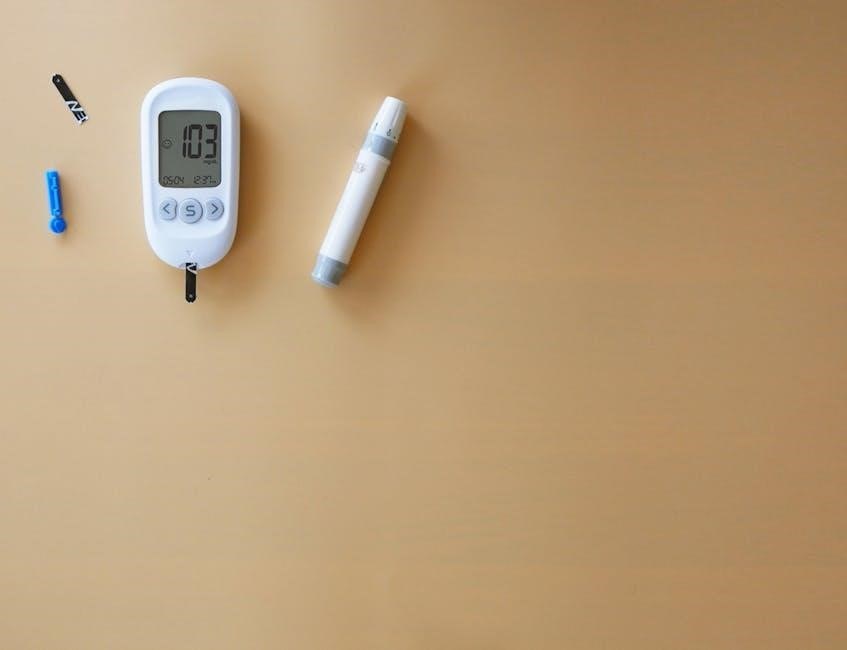
The Equate 6000 displays systolic and diastolic pressure, alongside pulse rate. Understanding these values, and categorizing them, is crucial for monitoring your cardiovascular health.
Systolic and Diastolic Pressure Explained
Systolic pressure, the top number, represents the pressure in your arteries when your heart beats. It measures the force of the heart’s contraction. Conversely, diastolic pressure, the bottom number, indicates the pressure in your arteries when your heart rests between beats. This reflects the resistance to blood flow in your vessels.
Both measurements are vital for a complete assessment. For example, a reading of 120/80 mmHg indicates a systolic pressure of 120 and a diastolic pressure of 80. Understanding these two numbers, as displayed by the Equate 6000, allows you to track changes and discuss them with your healthcare provider. Consistent monitoring provides valuable insights into your overall cardiovascular well-being and helps manage potential health risks effectively.
Pulse Rate Interpretation
The Equate 6000 monitor also measures your pulse rate, indicating the number of times your heart beats per minute. A normal resting pulse rate typically falls between 60 and 100 bpm, though this can vary based on fitness level, age, and medication.
Higher pulse rates may indicate stress, anxiety, dehydration, or underlying medical conditions. Conversely, lower rates could signify excellent cardiovascular fitness or, in some cases, certain medical issues. Regularly monitoring your pulse alongside blood pressure provides a more holistic view of your health. Note any significant deviations from your usual rate and discuss them with your doctor. Consistent tracking aids in identifying potential concerns and optimizing your well-being.
Blood Pressure Categories and What They Mean
Understanding your blood pressure readings requires knowing the established categories. Normal blood pressure is considered less than 120/80 mmHg. Elevated readings range from 120-129 systolic and less than 80 diastolic. Stage 1 hypertension is 130-139 systolic or 80-89 diastolic, while Stage 2 is 140/90 mmHg or higher.
Hypertensive crisis occurs at readings exceeding 180/120 mmHg, requiring immediate medical attention. These categories help assess cardiovascular risk. Regularly monitoring and discussing readings with your physician are crucial for managing your health. Lifestyle changes and medication may be recommended based on your specific category and overall health profile.
Memory and Features
The Equate 6000 monitor stores readings in its memory for tracking trends. Wireless models (UA-6000BLEWM) offer connectivity for data management and analysis.
Storing Readings in Memory
The Equate 6000 blood pressure monitor is equipped with a memory function, allowing you to store multiple readings for convenient tracking of your blood pressure over time. This feature is invaluable for identifying patterns and sharing data with your healthcare provider. The device automatically saves systolic and diastolic values, along with the pulse rate, each time a measurement is successfully completed.
Typically, the monitor can store a substantial number of readings – often 60 or more – providing a comprehensive history. You can easily review these stored measurements to monitor fluctuations and assess the effectiveness of any lifestyle changes or medications. Regularly reviewing your readings helps you stay proactive about your cardiovascular health and facilitates informed discussions with your doctor.
Recalling Previous Measurements
To access previously stored readings on your Equate 6000 blood pressure monitor, utilize the “Memory Recall” button. Pressing this button initiates a sequential display of your stored measurements, typically showing the date and time of each reading alongside the systolic, diastolic, and pulse rate values. Repeatedly pressing the button cycles through your measurement history.
The monitor often displays an average reading based on the stored data, providing a quick overview of your blood pressure trends. This feature is incredibly useful for tracking progress and identifying potential concerns. Refer to the device’s display for specific instructions on navigating the memory function and understanding the displayed information. Consistent review empowers you to manage your health effectively.
Wireless Connectivity (If Applicable ─ UA-6000BLEWM)
The UA-6000BLEWM model features Bluetooth wireless connectivity, enabling seamless data transfer to compatible smartphones or tablets. Download the designated Equate app from your app store and follow the in-app pairing instructions to connect your monitor. Once paired, readings are automatically synchronized, allowing for convenient tracking and analysis of your blood pressure data over time.
This wireless functionality facilitates easy sharing of information with your healthcare provider, promoting collaborative care. Ensure Bluetooth is enabled on both your monitor and mobile device. Refer to the app’s help section for detailed guidance on data synchronization, troubleshooting connectivity issues, and maximizing the benefits of this feature.
Troubleshooting Common Issues
This section addresses frequent problems, including error codes, monitor power failures, and inconsistent readings, providing solutions for optimal performance and accurate blood pressure measurement.
Error Codes and Their Meanings
The Equate 6000 monitor utilizes error codes to indicate specific issues during operation. Understanding these codes is crucial for effective troubleshooting. An “Err” message, often displayed on the screen, signals a problem with the measurement process. Common codes include “E1,” potentially indicating a cuff pressure sensor error, or issues with the cuff connection. “E2” might suggest an internal system error requiring attention.
If an error occurs, first re-apply the cuff, ensuring it’s securely attached and appropriately sized. Restarting the monitor can sometimes resolve temporary glitches. If the error persists, consult the full user manual or contact customer support for further assistance. Ignoring error codes could lead to inaccurate readings and compromise your health monitoring efforts. Always prioritize addressing these signals promptly.
Monitor Not Turning On
If your Equate 6000 blood pressure monitor fails to power on, several factors could be at play. First, verify the batteries are correctly installed, observing proper polarity (+ and -). Weak or depleted batteries are a frequent cause. Replace them with fresh, high-quality batteries of the correct type. Ensure the battery compartment is securely closed.
If new batteries don’t resolve the issue, inspect the battery contacts for any corrosion or debris, cleaning them gently if necessary. A faulty power adapter (if applicable) could also be the culprit. If the problem persists after these checks, contact customer support for further diagnosis and potential repair options. Do not attempt to disassemble the monitor yourself.
Inconsistent Readings
Experiencing inconsistent blood pressure readings with your Equate 6000 monitor is common, but requires investigation. Ensure proper technique is followed each time – correct cuff placement, relaxed posture, and avoiding movement during measurement. External factors like caffeine, smoking, or exercise can influence readings; allow ample time before testing.
Check the cuff size; an incorrect size will yield inaccurate results. If inconsistencies persist, take multiple readings (at least two, spaced a few minutes apart) and average them. If significant variations continue, consult your healthcare provider. A malfunctioning monitor could be the cause, requiring calibration or replacement.
Maintenance and Care
Regular cleaning with a soft, damp cloth ensures longevity. Replace batteries as needed and store the monitor in a cool, dry place, away from direct sunlight.
Cleaning the Monitor and Cuff
To maintain the accuracy and hygiene of your Equate 6000 blood pressure monitor, regular cleaning is essential. Always disconnect the cuff from the monitor before cleaning. Gently wipe the monitor’s surface with a soft, slightly damp cloth. Avoid using harsh chemicals, abrasive cleaners, or excessive water, as these can damage the device.
For the cuff, carefully detach it and hand wash it with mild soap and water. Ensure the cuff is thoroughly rinsed and air-dried completely before reattaching it to the monitor. Do not machine wash or dry the cuff, as this could compromise its functionality. Inspect the cuff regularly for any signs of wear and tear, and replace it if necessary to ensure accurate readings. Proper cleaning extends the lifespan of your monitor and promotes reliable blood pressure measurements.
Battery Replacement Guidelines
Maintaining consistent power is crucial for accurate readings with your Equate 6000. When the low battery indicator appears on the display, replace all batteries simultaneously with new, standard alkaline batteries of the correct size; Do not mix old and new batteries, or different types of batteries.
Open the battery compartment located on the back of the monitor and carefully insert the batteries, ensuring correct polarity (+ and -) as indicated. Dispose of used batteries responsibly, following local regulations. Frequent battery replacements are recommended if the monitor is used often; Using quality batteries ensures optimal performance and prolongs the life of your Equate 6000 blood pressure monitor.
Storage Instructions
Proper storage extends the lifespan and maintains the accuracy of your Equate 6000 blood pressure monitor. When not in use, store the monitor in a cool, dry place, away from direct sunlight, extreme temperatures, and humidity. Avoid storing the device in areas with dust or corrosive fumes.
Protect the cuff from sharp objects and excessive bending. Gently coil the cuff and store it alongside the monitor. Do not place heavy items on top of the device or cuff. Ensure the battery compartment is closed to prevent corrosion. Regular, careful storage will help ensure your Equate 6000 remains reliable for consistent blood pressure monitoring.
Safety Precautions
This monitor isn’t for use on infants or individuals with serious heart conditions. Always consult your physician before self-treating or adjusting medication.
Contraindications for Use
The Equate 6000 Blood Pressure Monitor is not suitable for all individuals. This device is specifically contraindicated for use on infants or young children, as it is designed for adult arms. Individuals with severe arrhythmia, or other significant cardiac conditions, should consult their healthcare provider before utilizing this monitor.
Furthermore, those experiencing an acute medical event, or undergoing medical procedures that may affect blood pressure, should refrain from using the device without professional guidance. The monitor is intended for monitoring purposes only and should not replace regular check-ups with a qualified physician. Do not use if you have a mastectomy or lymph node removal on the side where you intend to measure.
Warnings and Cautions
Exercise caution when interpreting readings and always consult your doctor for diagnosis and treatment. Never self-treat based solely on monitor results. Avoid using the Equate 6000 on an injured arm, or one with an IV line inserted. Do not disassemble or modify the device, as this will void the warranty and potentially cause inaccurate readings or harm.
Keep the monitor dry and away from extreme temperatures or direct sunlight. Ensure the cuff is the correct size for your arm circumference to guarantee accurate measurements. Never make medication adjustments based on readings without professional medical advice. This monitor is a tool to assist, not replace, regular medical care.
Important Notes Regarding Medication
This Equate 6000 blood pressure monitor is not a substitute for regular medical check-ups and prescribed medication. Never alter your medication dosage or schedule based solely on readings from this device. Consistent monitoring can help track medication effectiveness, but your physician remains the primary authority on your treatment plan.
Share your blood pressure readings with your doctor during appointments to facilitate informed decisions about your health. Be aware that certain medications can influence blood pressure, and consistent monitoring is crucial when starting or adjusting any new prescriptions. Always follow your doctor’s instructions regarding medication and lifestyle changes.